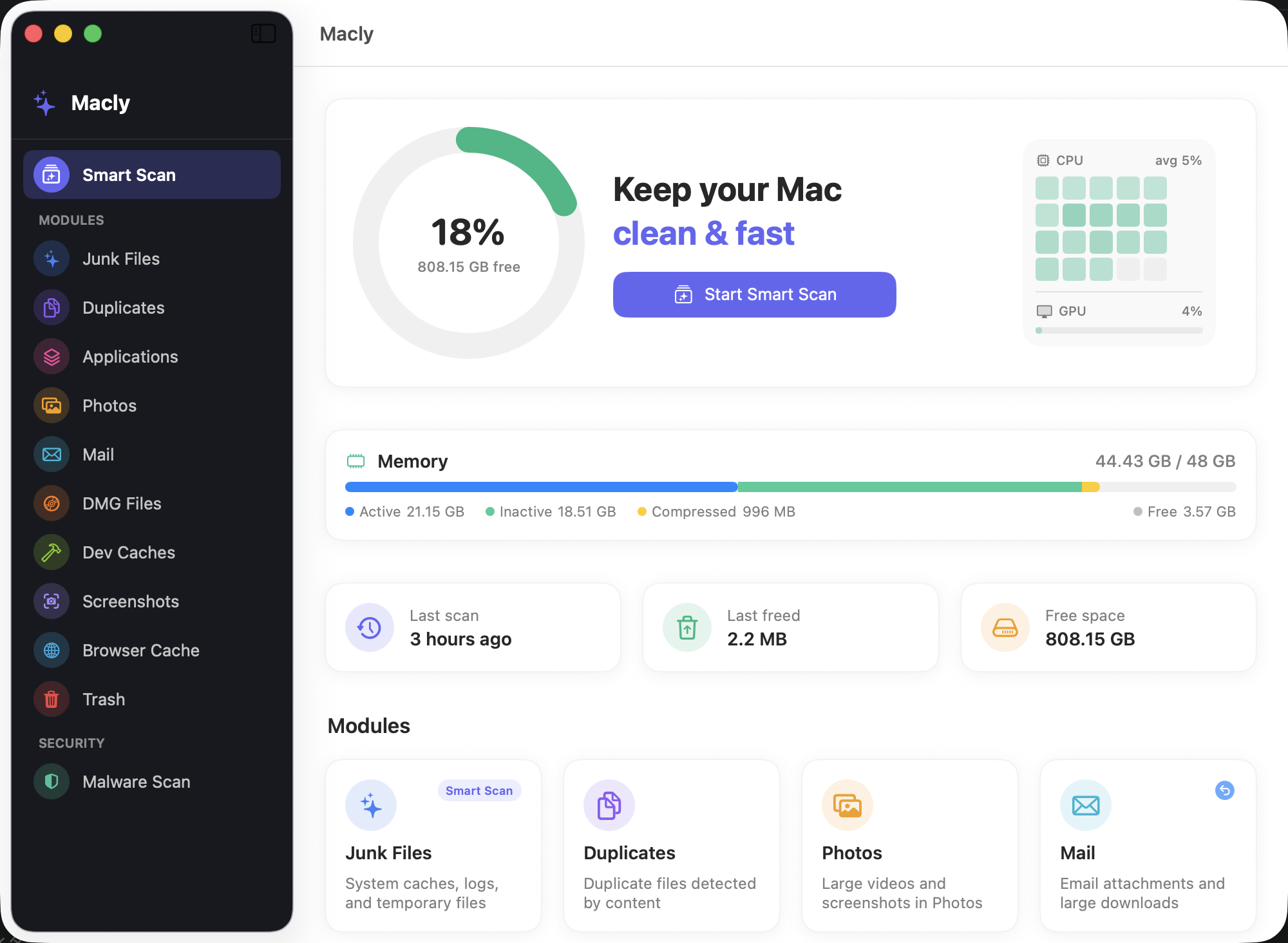
Each module targets a specific category of clutter on your Mac. Nothing generic — every module is purpose-built for its task, with clear previews and safe defaults.
🗑️
Junk Files FREE FOREVER
System caches, application logs, and temporary files pile up silently in hidden system folders. Every app you use writes cache data continuously. Macly scans them in seconds and removes files that macOS regenerates automatically — safe to delete every time, with no impact on your apps or data. This is the most impactful single action you can take to free storage on a Mac, and with Macly it is always free.
📄
Duplicate File Finder
Duplicate files accumulate when you download the same installer twice, copy files between folders, or export assets multiple times. Macly identifies true duplicates by comparing file contents — not just names or dates — so only genuinely identical files are flagged. Only files 1 MB or larger are compared, keeping the scan fast and focused on meaningful space savings.
📦
App Uninstaller
Dragging an app to Trash leaves behind a trail of hidden files — preferences, caches, application support data, and launch agents scattered across your system library. Macly's App Uninstaller finds all files associated with every installed application and presents them in a sortable list. Review, select, and remove completely — recovering the storage that a simple drag-to-Trash operation always misses.
📷
Photos & Videos PREVIEW
Your Photos library quietly stores large video files and screenshots that are easy to forget about. Macly scans for videos larger than 100 MB and all screenshot assets stored inside the Photos library. Every result in the list shows a live thumbnail — tap it to open a full-size photo preview or stream the video inline, even if it is stored in iCloud. Review each file before deciding to delete, right from the preview sheet. Because Photos deletions are permanent and cannot be undone, the preview feature is designed to let you be absolutely sure before confirming removal.
✉️
Mail Attachment Cleaner
Apple Mail stores every email attachment you have ever received directly on your disk. After years of using Mail, this hidden folder can grow to tens of gigabytes filled with PDFs, images, videos, and documents from emails you may have read once and forgotten. Macly surfaces the largest attachments for review, so you can reclaim that space in seconds.
💿
DMG File Finder
Every app you download and install from the internet typically arrives as a .dmg disk image. Once the app is installed, the original file sits on your drive indefinitely — most users never delete it. Individual installer images typically range from 100 MB to several gigabytes, and a typical Mac used over a few years can accumulate dozens of them.
🗂️
Trash Emptier
Files moved to Trash continue to occupy storage until the Trash is permanently emptied. It is easy to forget that large files — videos, disk images, old projects — are sitting in Trash consuming gigabytes you could be using elsewhere. Macly shows the full contents of your Trash with individual file sizes and a total summary, letting you review everything before confirming permanent removal.
🔨
Developer Cache Cleaner
Software developers accumulate enormous caches from build tools, package managers, and container platforms. Macly targets the most common sources across JavaScript, Python, Java, Rust, Swift, and Docker workflows. Smart exclusion logic prevents active project dependencies from being flagged, so only genuinely stale cache data is suggested for removal.
📸
Screenshot Cleaner
Screenshots accumulate quickly during day-to-day Mac use — especially when sharing bug reports, creating documentation, or doing screen recordings. Macly finds screenshot files across your entire home folder and lists them by size. Files are moved to Trash, not permanently deleted, so you can recover anything you accidentally select.
🌐
Browser Cache Cleaner
Web browsers cache images, scripts, fonts, and other assets locally to speed up page loads. Over time these caches grow to several gigabytes and are rarely cleared manually. Macly supports Chrome, Firefox, Edge, Brave, Arc, Vivaldi, Opera, and more. Note: Safari's cache is managed exclusively by macOS and cannot be cleared by third-party applications.
✨
Smart Scan — Always Free
Smart Scan combines eight modules into a single parallel sweep of your Mac, running each scan simultaneously. Results stream in as they are found — no waiting for all modules to finish before seeing your first item. Every result is sorted by size so the biggest space savings are always visible first. Smart Scan runs without any license, any account, or any configuration, and will continue to be free in every future version of Macly.
🛡️
Malware Scan NEW in 1.3.0
Six-phase security scan built into Macly at no extra cost. Detects browser extension hijacking across Chrome, Edge, Brave, Firefox, and Safari using weighted permission scoring and a known-malicious-ID blacklist. Identifies suspicious LaunchAgents and Daemons, unauthorized MDM configuration profiles (proxy hijack, root CA injection, forced VPN), hosts file tampering, and non-standard DNS resolvers. Dismissed findings are remembered — they don't reappear on the next scan.